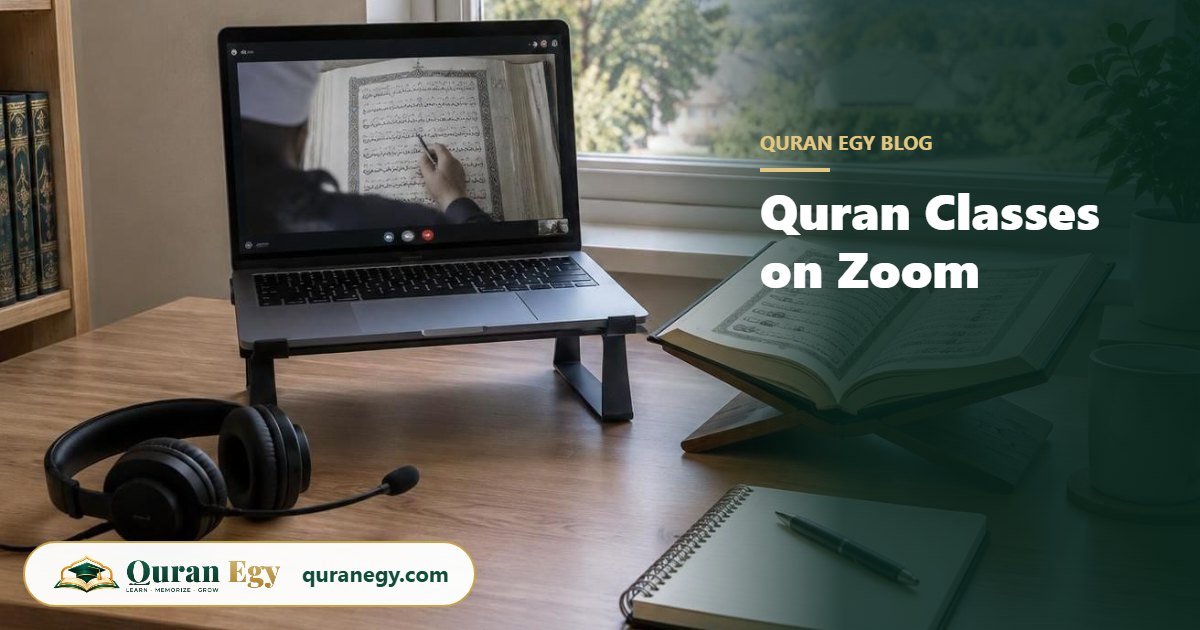
Quran classes on Zoom work like a private lesson at home: you and the teacher see and hear each other, the teacher shares the page of the Mushaf or Qaida on screen, you recite, and every mistake is corrected live. All you need is a laptop, tablet or phone, a stable internet connection, headphones with a microphone and a quiet corner. At Quran Egy, classes run on Zoom or Google Meet, one-to-one, for 30, 45 or 60 minutes.
Key takeaways
- Device: a laptop or tablet is best; a phone works for adults.
- Internet: a normal home connection is enough for one video call.
- Headphones with a mic make the biggest difference to sound quality.
- The teacher shares the page on screen and can annotate it while you read.
- For children: a shared room, a parent nearby and the camera on.
What you need
| Item | Minimum | Better |
|---|---|---|
| Device | Smartphone | Laptop or tablet on a stand |
| Internet | Stable home Wi-Fi | Wi-Fi close to the router, or a cable |
| Audio | Device microphone | Headphones with a built-in mic |
| App | Zoom or Google Meet in the browser | The app installed and updated |
| Quran | On-screen page from the teacher | Your own Mushaf or Qaida book as well |
A bigger screen helps children follow the teacher's pointer on the page. For adults reading from a phone, turn it sideways so the page is larger.
Setting up the room
- Quiet first. Background noise makes it hard for the teacher to hear small mistakes in letters.
- Light from the front. Sit facing a window or lamp, not with it behind you.
- Camera at eye level. The teacher needs to see your mouth clearly when correcting letters like ث, ذ and ف.
- Wudu and a clean space. Many families keep a small table with the Mushaf and a stand ready for class time.
What happens in a typical lesson
| Part of the class | Time (30-minute class) | What happens |
|---|---|---|
| Greeting and warm-up | 2 to 3 min | Salam, a short dua, review of the last lesson |
| Revision | 8 to 10 min | You recite what you learned before; the teacher corrects |
| New lesson | 12 to 15 min | New letters, rules or verses, read together and then alone |
| Homework | 2 to 3 min | What to practise and how many times |
In a longer class each part grows, and memorization students spend more time on revision. Our guide on what to expect in a free trial class shows how the first lesson works.
Tools teachers use on Zoom
- Screen sharing: the teacher shows the exact page, so you both look at the same line.
- Annotation: circling a letter or underlining a rule while you read.
- Chat box: writing a word in Arabic or transliteration when explaining.
- Recording (on request): some adult students like to replay the lesson; ask the teacher first.
Tips for children's classes on Zoom
- Same time, same place. Children settle faster when class is part of the routine.
- Parent nearby. Stay within hearing distance, especially for under-8s.
- Snack and toilet before class. It sounds small, but it saves five minutes.
- Keep the camera on. The teacher reads the child's face to see if they understood.
- Short sessions for young kids. 30 minutes is enough under age 8.
Our Quran classes for kids are built around short, active lessons that work well on screen.
Fixing common problems
| Problem | Quick fix |
|---|---|
| Teacher's voice breaks up | Move closer to the router, close other apps and videos |
| Teacher can't hear you well | Use headphones with a mic; check the right microphone is selected |
| Echo | Use headphones, or lower the speaker volume |
| Page too small | Use a laptop or tablet, or ask the teacher to zoom the shared page |
| Zoom asks for an update | Update before class time, not at the start of the lesson |
Is learning Quran on Zoom as good as in person?
For reading and Tajweed, a one-to-one Zoom class is often better than a group class in person, because you recite for most of the lesson and the teacher focuses only on you. What matters most is the teacher and the format, not the place. Our comparison of one-to-one vs group Quran classes explains why, and how to choose an online Quran academy lists what to check before you pay.
Start with a free Zoom class
All our courses, from Noorani Qaida to Tajweed and Hifz, run on Zoom or Google Meet with Azhari-trained male and female teachers. Plans are $40 to $85 a month; see the pricing page.
One-to-one · Zoom or Google Meet · kids and adults
Frequently asked questions
How do online Quran classes on Zoom work?
You join a video call with your teacher, who shares the page on screen. You recite, the teacher corrects you live and gives homework at the end.
What do I need for Quran classes on Zoom?
A laptop, tablet or phone, a stable internet connection, and ideally headphones with a microphone.
Do I need a Zoom account?
No. You can join from the link with the Zoom app or in a browser. Google Meet also works in the browser.
Can children learn Quran on Zoom?
Yes. With short classes, a parent nearby and the camera on, children from about 4 or 5 years old learn well online.
Can I use my phone for Quran classes?
Yes, especially as an adult. A tablet or laptop is easier for children because the page is bigger.
Are Zoom Quran classes recorded?
Not by default. Adult students can ask the teacher if they want to record a lesson for revision.